NPC AI
Like in Clash of Clans, the goal of the NPC is to attack buildings.
They must first find a building, then walk to it, and finally they can attack the building.
State Machine
Let’s create a very simple finite state machine.
- Add an enum to AIPilot for your states
- walking to target (start off in this state)
- attacking target
- You need a building to attack. Buildings have the Destructable component on them
- Add a member variable to AIPilot for which Destructable to attack next
- It starts off as null
- If you don’t have a target (or the target has died), you’ll need to get a new target
- Create a function for this:
void GetTarget() - Search through all the Destructable in the scene
- Prefer targets with higher
Destrucable.value - Prefer targets that are closer to the NPC’s current location
- Create a function for this:
- In your
GetInput()function, check the state and handle each one- I suggest you split off the handling of each state into a separate function for readability
Walk To Target
- If you have no target, call your
GetTarget()function - If you still have no target, just stand still
- Set your CharInput fields to stand still
- If you have a target, set that to be the new destination of your NavMeshAgent
Your NPC should walk up to the nearest building. 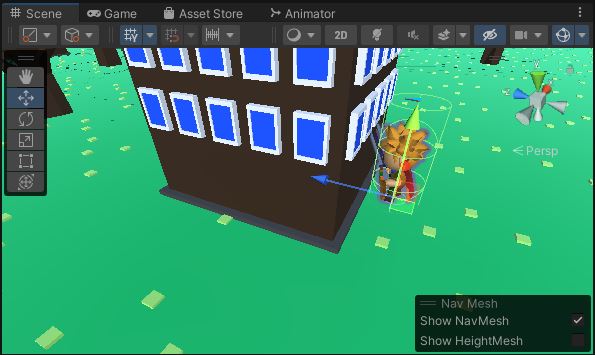
Attack Building
If you’re close enough to the target, start attacking it.
- In the walk-to-target state, look for buildings close enough to attack
- Add a public variable
m_attackRange = 1.5f - Use
Physics.OverlapSphere()to find targets in range- Only accept targets with a Destructable on them
- If you find a target, transition to the attacking state
- In the attack state, set the attack command on the CharInput
- If the target is gone or destroyed, transition back to the walk-to-target state
Your character should walk to the nearest building and then begin spinning endlessly trying to attack it. 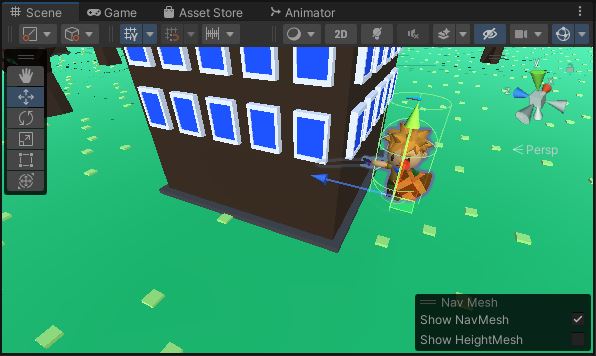
Attack Timer
Let’s set up a minimum time between attacks.
- In your Character class, add a
public float m_attackDelay = 1.0f - In
Character.Update()when you’re reading the attack input,- Each time you start an attack animation, begin a timer
- Do not allow another animation to occur unless at least
m_attackDelayseconds have passed- Make sure the timer runs no matter what else is going on
Now the attack animations should occur no more than once per second.
Attack Damage
Now let’s make the attacks do something.
- Add some public variables to your Character
public float m_attackRange = 2.0fpublic float m_attackDamage = 10.0f
- Add a public function to perform the attack
public void DoAttack()- Use
Physics.OverlapSphere()again - List all Destructables you hit
- Call
Destructable.Damage()on them
- Use
- Open the attack animation “Assets/RPG Tiny Hero Duo/Animation/SwordAndShield/Attack04_Spinning_SwordAndShield.fbx”
- Find the animation clip itself
- Hit Control+D to duplicate the animation clip as a writable copy
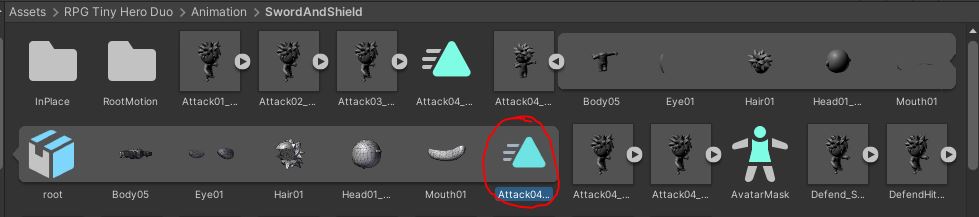
- Change your Animator to refer to your new duplicated clip instead of the read-only original
- Open the Animation Window and select your new duplicated clip
- Add an event to it
- Choose a time when the attack is underway
- Call your
DoAttack()function 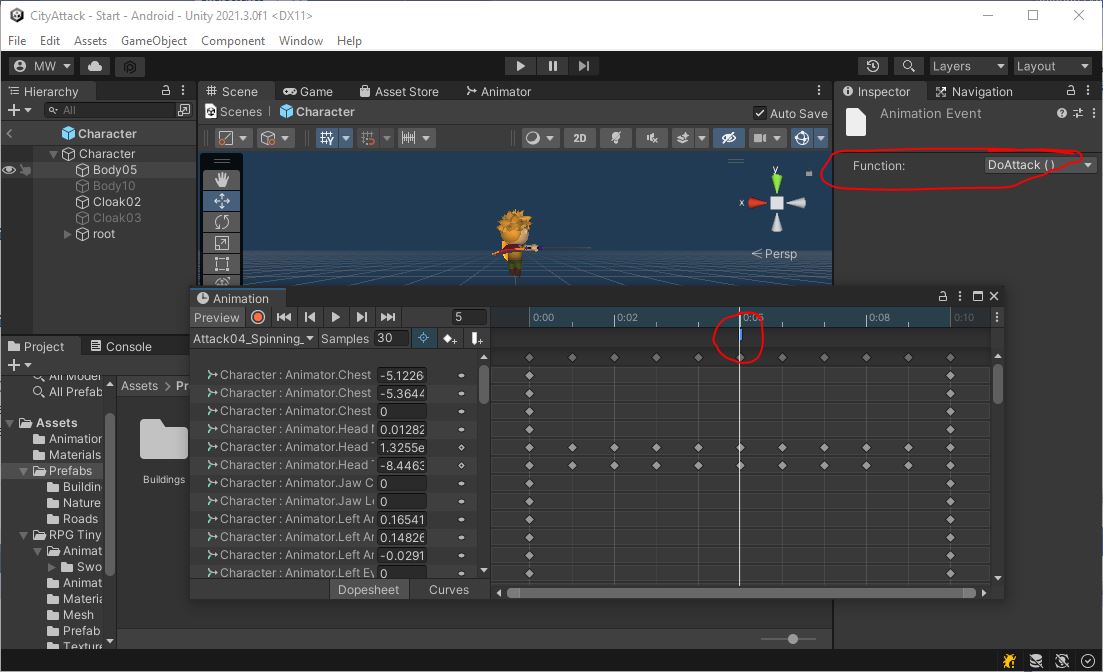
The m_attackRange on Character is larger than the m_attackRange on AIPilot.
This is to make sure the character does not stand just barely out of range trying to attack a building they cannot hit.
Your character should now run up to the nearest building and start attacking.
After 10 attacks, the building should vanish.
Then the character should start running to the next building.\
The animation for the spin attack might trigger the damage event twice per attack.
If that’s the case, it would only take 5 attacks to destroy the building.
If you are getting that, you can either account for this or just divide the damage in half.
Commit and Push.