Before we put our objects into pools, let’s check out what the game does without them.
Play in editor and check out the bananas. 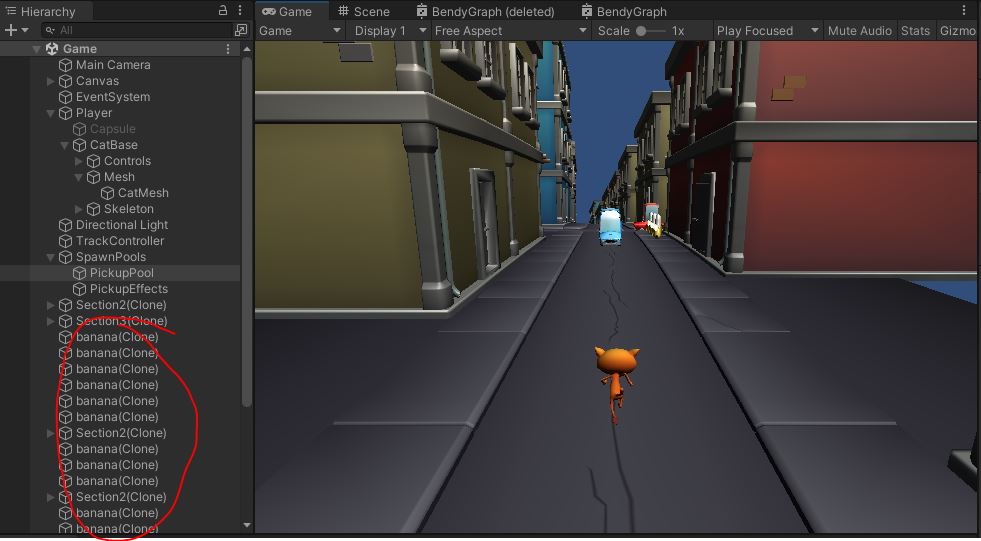 That’s a lot of bananas. Let’s recycle those.
ObjectPools
Check out “ObjectPool.cs”
public class ObjectPool : MonoBehaviour
{
    public GameObject m_prefab;
    public int m_numObj = 100;

    List<GameObject> m_pool;

    protected virtual void Awake()
    {
        {   // TODO create the "m_pool"
            // fill it with "m_numObj" copies of "m_prefab"
            // make them children of this GameObject
            // deactivate them all by calling SetActive(false)
        }
    }

    public GameObject Allocate(Vector3 pos)
    {
        {   // TODO go through the "m_pool" and find the first inactive one
            // set its parent to null, its position to "pos" and activate it
            // call PooledObject.Init() on it.
            // and return the object
            // If there are no inactive elements in "m_pool", just return null
        }
        return null;    // none left available
    }

    public void Free(GameObject obj)
    {
        {   // TODO Call PooledObject.Stop() on the object
            // re-parent the object as a child of this
            // and deactivate the object with SetActive(false)
        }
    }
}
There are 2 separate classes at work here.
ObjectPool is a class that holds and manages an entire pool of objects.
We will use the ObjectPool class to Allocate and object from the pool and Free an object back into the pool.
PooledObject is a base class for the actual objects within the pool.
Our first PooledObject will be a banana. We will have an ObjectPool that holds all of our bananas for us.
Awake
Head to the first TODO in the Awake() function.
- Create the
m_pool - Fill it with
m_numObjcopies ofm_prefab - Make them children of this GameObject
- Deactivate them all by calling
SetActive(false)on each one
Allocate
Head to the second TODO in the Allocate() function.
- Go through the
m_pooland find the first inactive one - Set its parent to null, set its position to
pos, and activate it - Call
PooledObject.Init()on it - and return the object
- If there are no inactive elements in
m_pool, just returnnull
Free
The final TODO in this file is in Free()
- Call
PooledObject.Stop()on the object - Re-parent the object as a child of this one
- Deactivate the object with
SetActive(false)
We aren’t caling Allocate() or Free() yet, but we can test the Awake().
Check out the pool of deactivated bananas waiting to be used under the “SpawnPools/PickupPool” 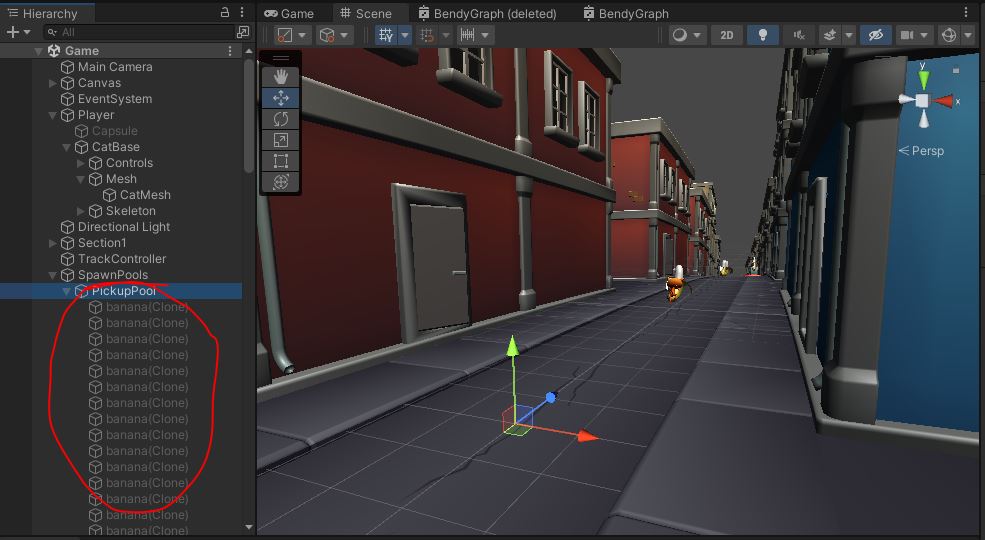
Do I have to say it?