NavMesh
Let’s set up the navigation mesh.
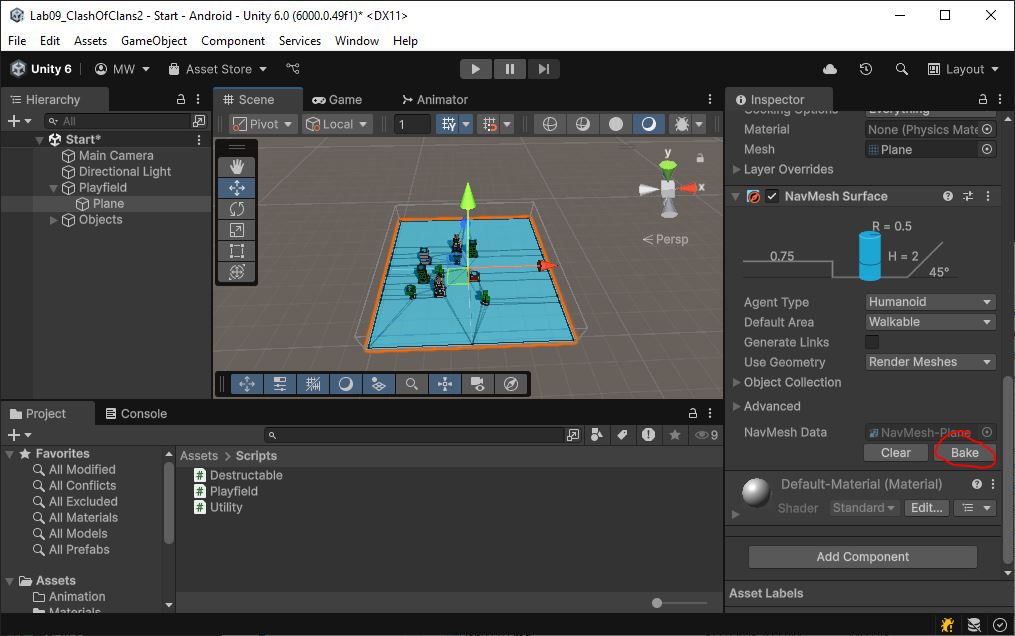
- Select object “Playfield/Plane”
- Add a NavMeshSurface component
- Hit “Bake”
NavMeshObstacle
Our NPCs need to navigate around the buildings.
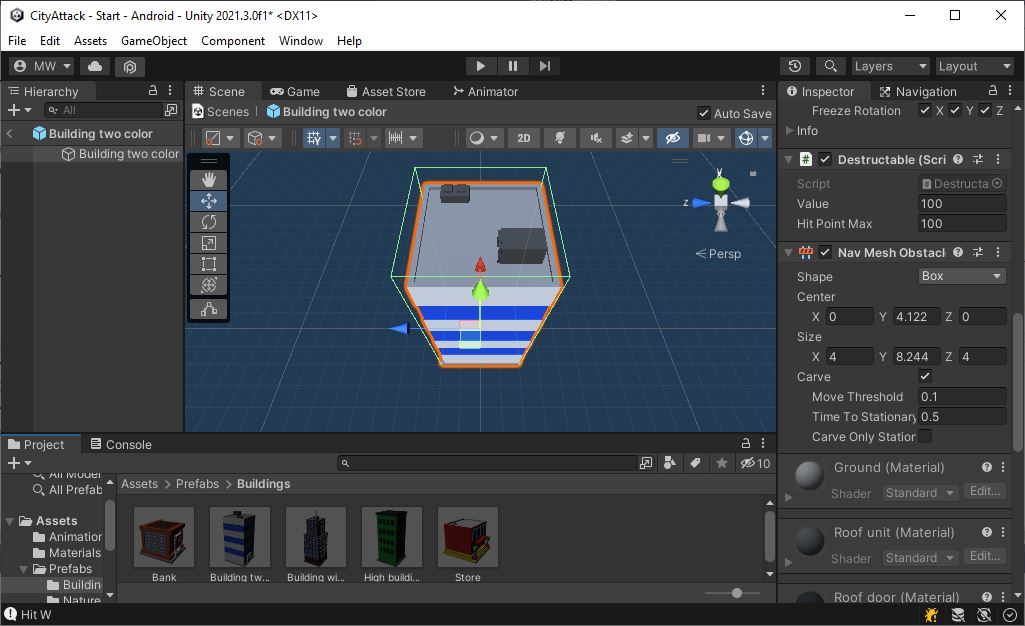
- Add a NavMeshObstacle component to each of the buildings and the trees
- Mark the “Carve” checkbox
- Un-mark the “Carve Only Stationary” box
- Don’t do the roads. We don’t want NPCs to avoid roads
- You may need to re-bake the NavMesh on “Playfield/Plane”
It should look like this now: 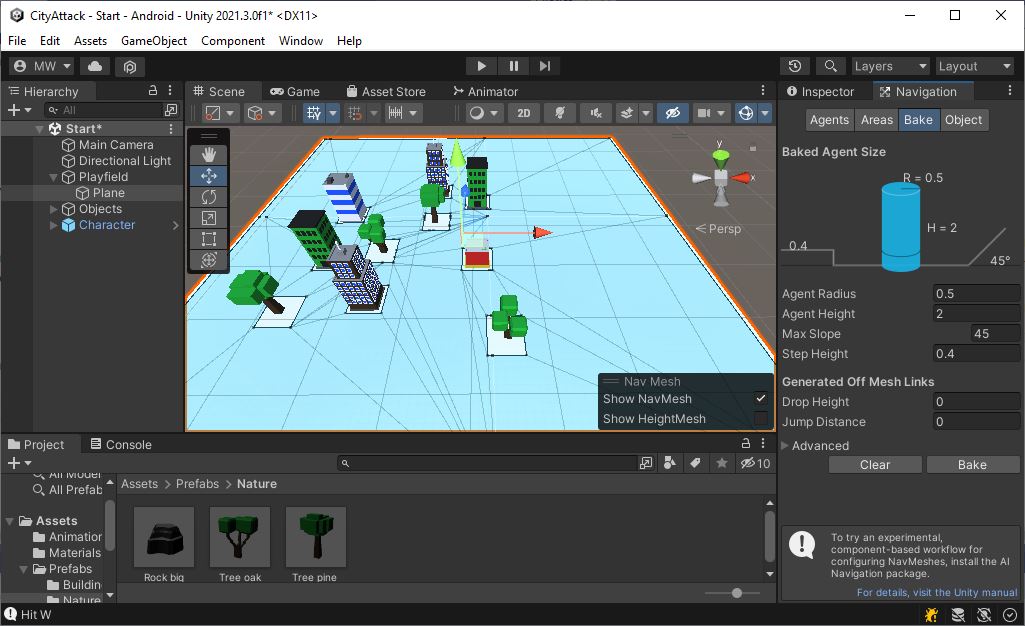
NavMeshAgent and AIPilot
- Add a NavMeshAgent component to the “Character.prefab”
- Set the
Stopping Distanceto 2
- Set the
- Create a new class called AIPilot
- Inherit from Pilot
- Override the
Start()function- Get the NavMeshAgent and store that in a member variable
- Set
NavMeshAgent.updatePositionto false - Set
NavMeshAgent.updateRotationto false- Our Character class will be doing the movement
- Copy
Character.m_walkSpeedintoNavMeshAgent.speed - Call
base.Start()
- Override the
GetInput()function- Use
NavMeshAgent.desiredVelocityto set up the movement vector in your CharInput- Remember that
desiredVelocityhas a scale of 0 tospeed. You’ll need to re-scale this into the 0 to 1 range
- Remember that
- Make the facing angle of CharInput match the direction of movement
- Return your CharInput
- Do not call
base.GetInput(). We do not want the keyboard controls.
- Use
- Override the
Reset()function- Copy
transform.positionintoNavMeshAgent.nextPosition- The character was moved by
Character.Update(), and the agent needs to be updated manually
- The character was moved by
- Call
base.Reset()
- Copy
- Remove the Pilot from “Character.prefab” and replace it with an AIPilot
The Character class should have no references to NavMeshAgent or AIPilot.
The AIPilot class interacts with the NavMeshAgent and updates the CharInput.
To test it out, add a temporary line to AIPilot.Start().
For testing, call NavMeshAgent.SetDestination(new Vector3(38.0f, 0.0f, 38.0f)). 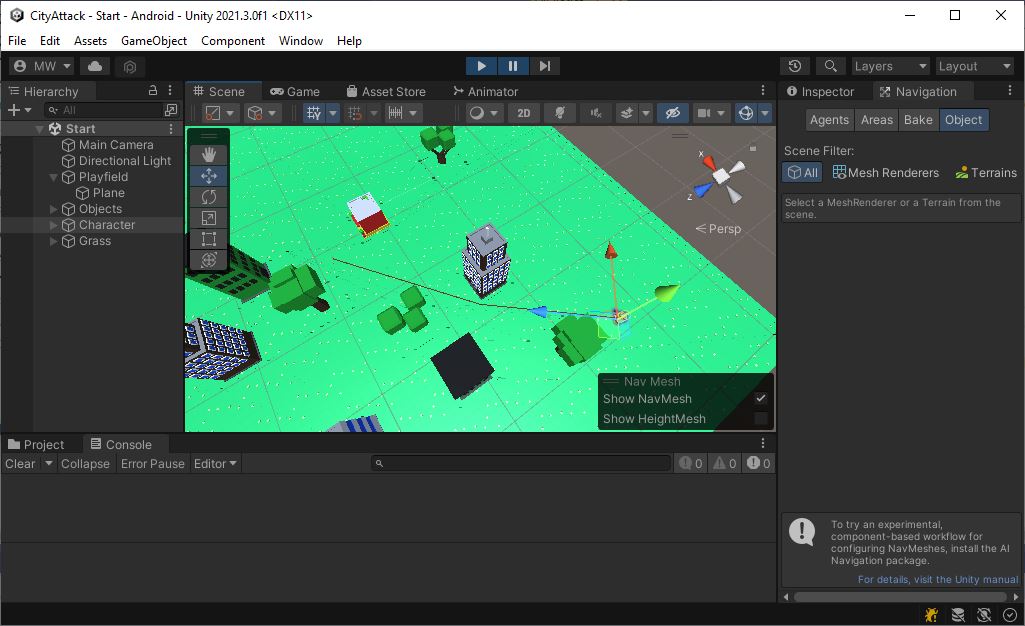
Remove your test code (the SetDestination()), commit, and push.
Let’s get on to some AI.