InClass 01: Git
Let’s get you set up with Git and Unity.
Sign Up
If you already have a github account skip to the next step.
Go to https://github.com/ and Sign Up.
Choose a Git Client
If you don’t already have one, https://desktop.github.com/.
You may use any git client you wish including terminal, but if you have any doubt, please use github desktop.
I cannot guarantee I can help you with any git client other than Github Desktop or terminal.
I personally use TortoiseGit. I can also help you with that one.
Accept the Assignment
Clone the Repo
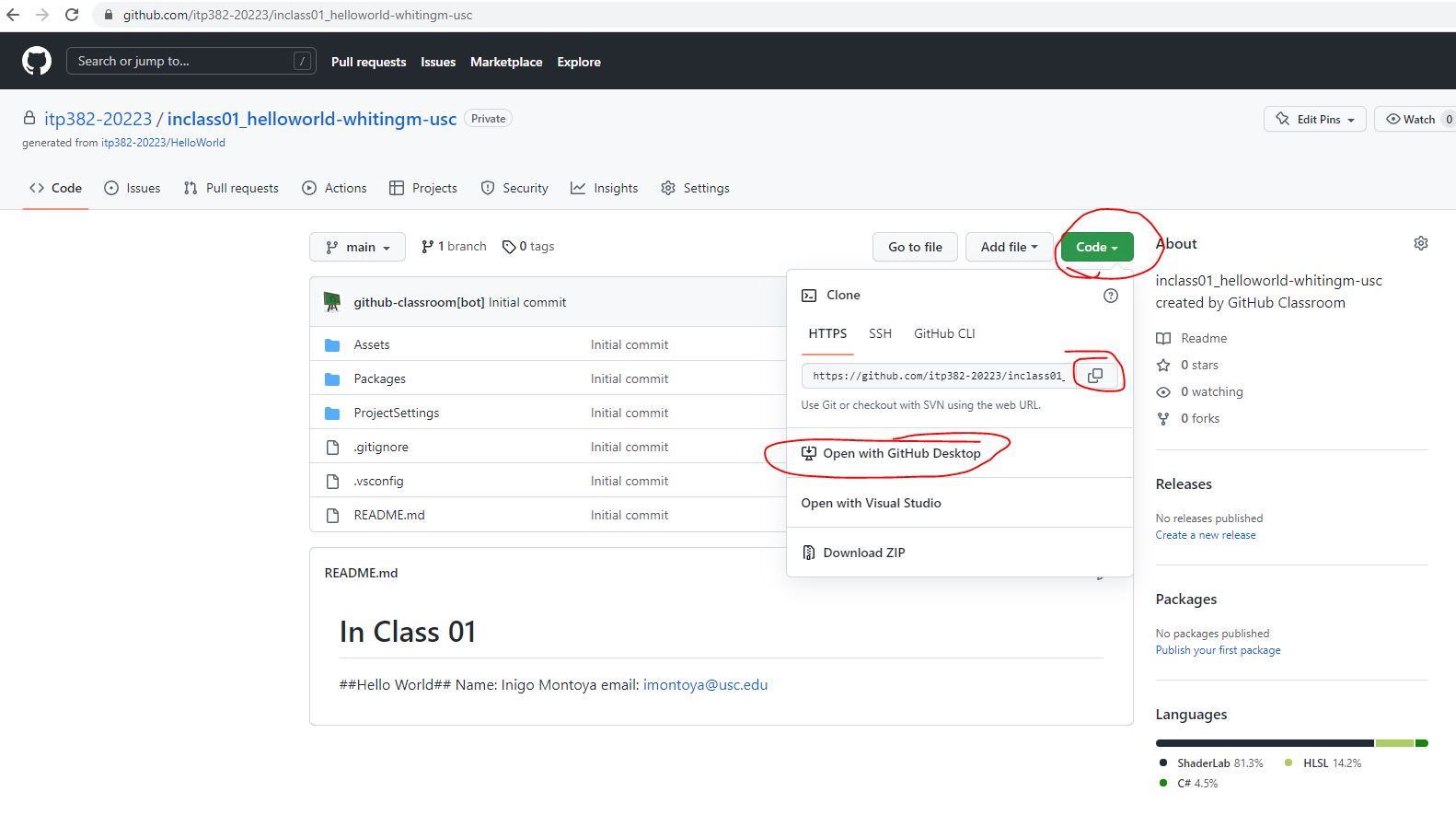
This downloads a complete copy of the github repo down from the server to your local hard drive. Choose a location on your hard drive. You’ll need to know where this is.
Edit Your ReadMe file
At the root of the InClass01 (helloworld) project, you should find a README.md file.
Open this in any text editor, and update your name and email address.
Save the file.
Commit and Push
Use your chosen git client (github desktop) to commit your changes.
Push your changes up to the server.
If you do not push your work, we cannot see it.
If we cannot see it, we cannot grade it, and we will be limited in how much advice we can offer.
Pushing your work saves everything as a backup.
Commit and Push Often.
Check It
Using your web browser, go to your repo on github.
Click on your README.txt file.
You should see your name and email address.
This is how we’ll be grading this assignment.
If your name does not appear, you will not get full credit.