So far, all of our controls are keyboard-based, but this is Mobile Games!
There are no keyboards in mobile games.
Virtual Joystick
Fortnite uses virtual joysticks, and we’ll be doing the same.
I’m not a huge fan of relying too much on downloaded code, but there’s no sense reinventing the wheel.
I have downloaded this Joystick Pack.
You can find it as “Assets/Joystick Pack”.
- Set up a UI Canvas in your scene
- Make sure it is set up to scale properly
- Drop an instance of “Assets/Joystick Pack/Prefabs/Fixed Joystick.prefab” onto the canvas
- This will be for the character controls
- Size and place it accordingly in the lower-left for a landscape game
- Make another one just like it in the lower-right for the camera controls
Player Controls
- Give Character a public reference to a Joystick
- Point it to the virtual joystick in the lower-left
- In
Character.Update()where you read the keyboard for input- Also read from the Joystick
- The player should respond to either the keyboard or the virtual joystick in the same way
This is one of the main purposes of the Character.CharInput class.
The class abstracts the source of the input so that the ultimate behavior won’t change whether the input comes from keyboard or virtual joystick
You should now have control the the player through the virtual joystick
Camera Controls
- Give FollowCamera a public reference to a Joystick
- Point it to the virtual joystick in the lower-right
- In
FollowCamera.Update()where you read the keyboard for input- Also read from the Joystick
- The camera should respond to either the keyboard or the virtual joystick in the same way
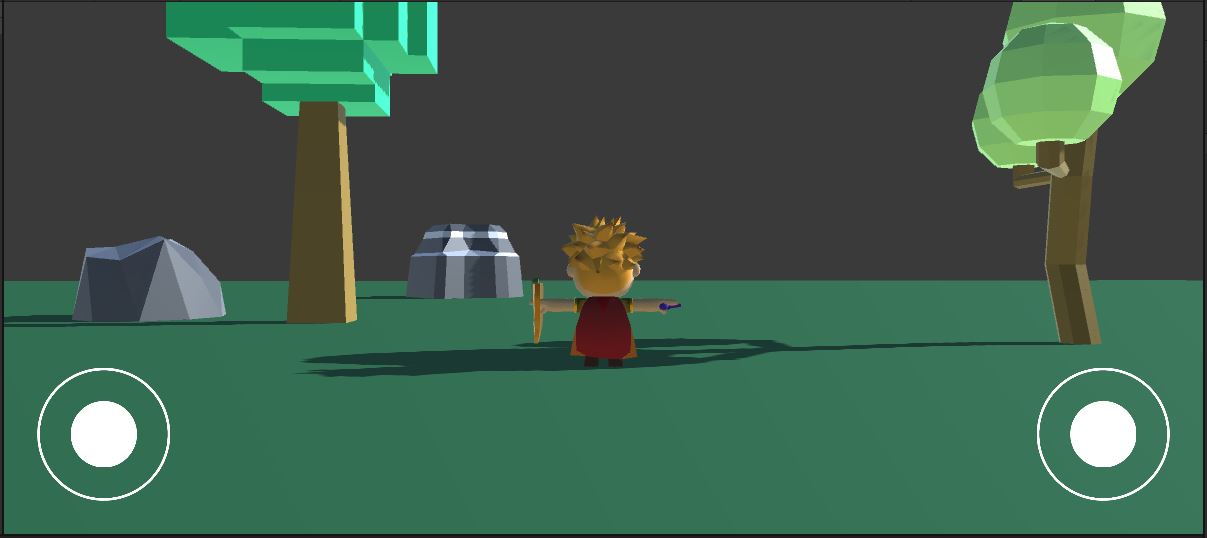
That’s some great progress. Let’s commit and push.