PickupSpawner.cs
public class PickupSpawner : MonoBehaviour
{
    public GameObject m_pickup;
    public int m_numPickup = 1;
    public float m_spacing = 2.0f;

    // Start is called before the first frame update
    void Start()
    {
        Vector3 pos = transform.position;
        for (int i = 0; i < m_numPickup; ++i)
        {
            GameObject newObj = null;
            {   // TODO Convert this Instantiate() to Allocate from a SpawnPool
                newObj = Instantiate(m_pickup);
            }
            newObj.transform.position = pos;
            pos.z += m_spacing;
        }
        Destroy(gameObject);
    }
}
- Convert the
Instantiate()toAllocate()from an ObjectPool - You can get the ObjectPool using
SpawnPools.Get().m_pickupPool
If you Play in Editor, you should be able to see the bananas coming out from under “SpawnPools/PickupPool” and returning again.
Pickup.cs
There is a TODO in OnTriggerEnter()
    private void OnTriggerEnter(Collider other)
    {
        if (null != other.GetComponent<Player>())
        {
            {   // TODO use the "m_pickupEffect" inside SpawnPools to create an effect
                // put it at the same position as this object
            }
            Free();
        }
    }
- Use the
m_pickupEffectinsideSpawnPools.Get()to create an effect - Put it at the same position as this object
You should see the green splash and hear a pop sound when you pick up a banana 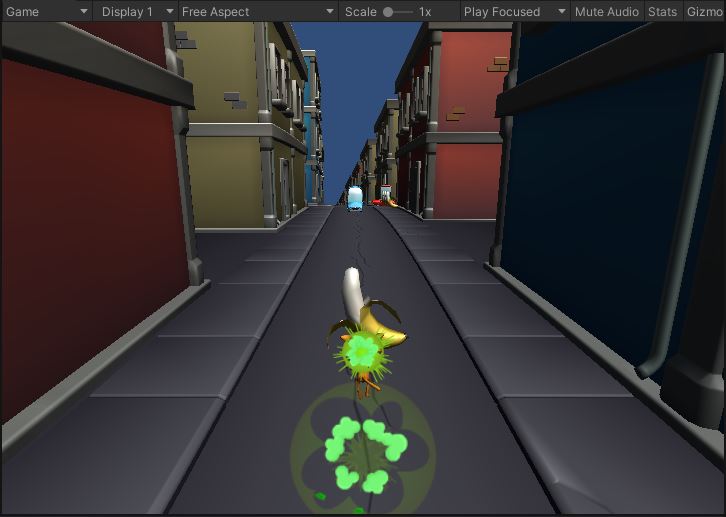
Be sure to commit and push.
We’re about to move on to the “Choose Your Path” part.