Pipe Prefabs
“Assets/Prefabs/pipe.prefab” is a prefab for the pipe object.
If you open that up, you’ll see that it consists of 2 different prefabs:
“Assets/Prefabs/pipe_bottom.prefab” and “Assets/Prefabs/pipe_top.prefab”.
The “GameManager” object in the Scene has a GameManager script on it, and that script has a m_pipe public variable on it.
- Point that variable to the “pipe.prefab”
- Drag the prefab into that slot and save the scene
GameManager.Start()
    void Start()
    {
        m_lastCamPos = Camera.main.transform.position;
        m_lastPos = m_lastCamPos;
        m_lastCamPos.x -= m_horizSpacing;   // spawn the first pipe now
        m_lastPos.x += m_firstPipeAt;       // the first pipe is this far forward from the starting position

        // grab the player for future reference
        m_player = FindFirstObjectByType<PlayerBird>();

        SetPause(false);
    }
The GameManager.Start() function is already set up to help you with the next steps.
We will be tracking the camera as it moves forward (following the player).
We will spawn in a new pipe section each time the camera moves forward by a specific amount (m_horizSpacing)
By subtracting m_horizSpacing from the initial camera position, we’ll ensure that on the first call to Update(), the camera will already be far enough forward to trigger the first pipe.
The position of that first pipe is set up with m_firstPipeAt.
GameManager.Update()
Check out the TODO in GameManager.Update()
    void Update()
    {
        {   // TODO make pipes
        }

        if (null == m_player)
        {   // Player Died
            StartCoroutine(GameOver());
        }

        // keys
        if (Input.GetKeyDown(KeyCode.Escape))
        {   // this doubles as the option key in the android navigation bar
            SetPause(!m_isPaused);
        }
    }
- You can get the current world-position of the camera with
Camera.main.transform.position - Check to see whether the camera has traveled far enough yet to warrant the creation of the next pipe obstacle
- Use the variable
m_lastCamPosto keep track of the position of the camera the last time you created a pipe - Use the variable
m_horizSpacingto determine how far the camera needs to move before you need to create a new pipe - Use the variable
m_lastPosto keep track of where the last pipe was created- So you can figure out where the next one belongs
- Use the variable
- Create a new copy of the
m_pipeprefab with theInstantiate()function - Use
m_vertSpacingtogether withRandom.Range()to randomly offset the vertical position of each new pipe.
The pipes should appear now
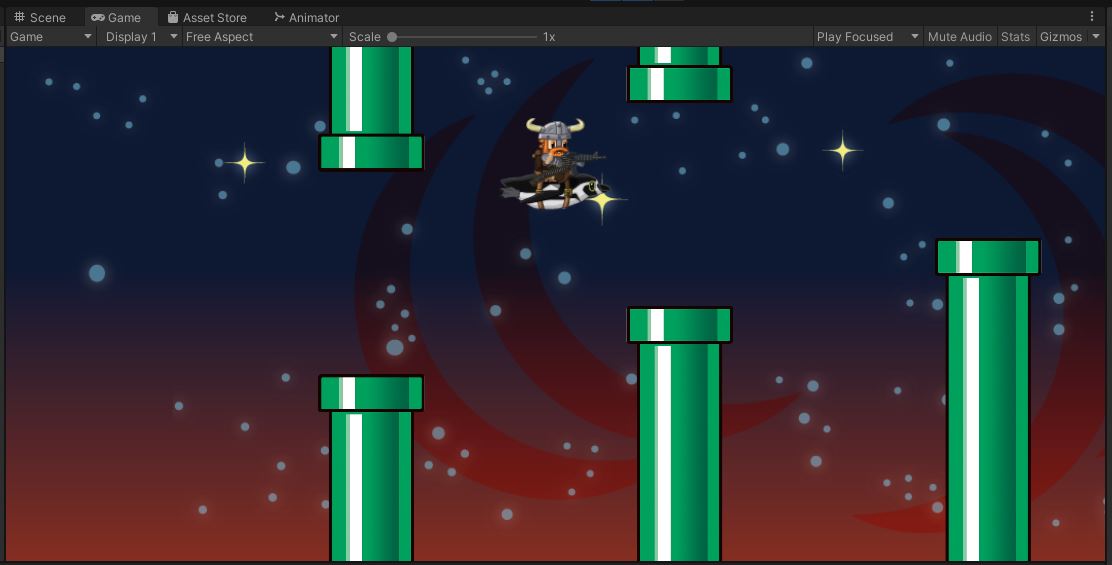
Don’t forget to commit and push.