Accept the Assignment
Clone the Repo
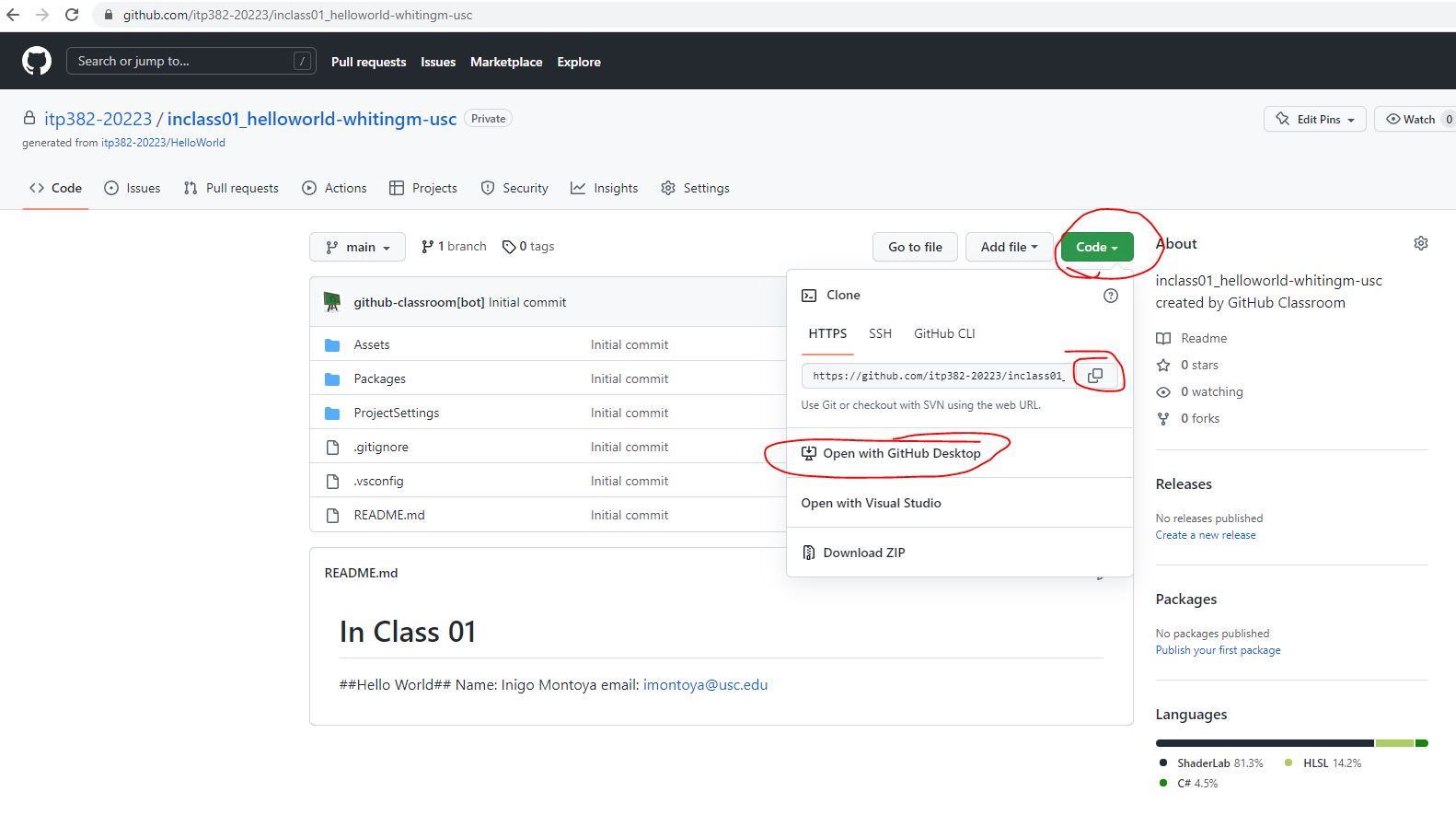
This is the starting point for the project.
We will start off with an existing project.
Open your starting project in Unity.
There is 1 scene in the project.
Open the Game scene.
It should look like this… 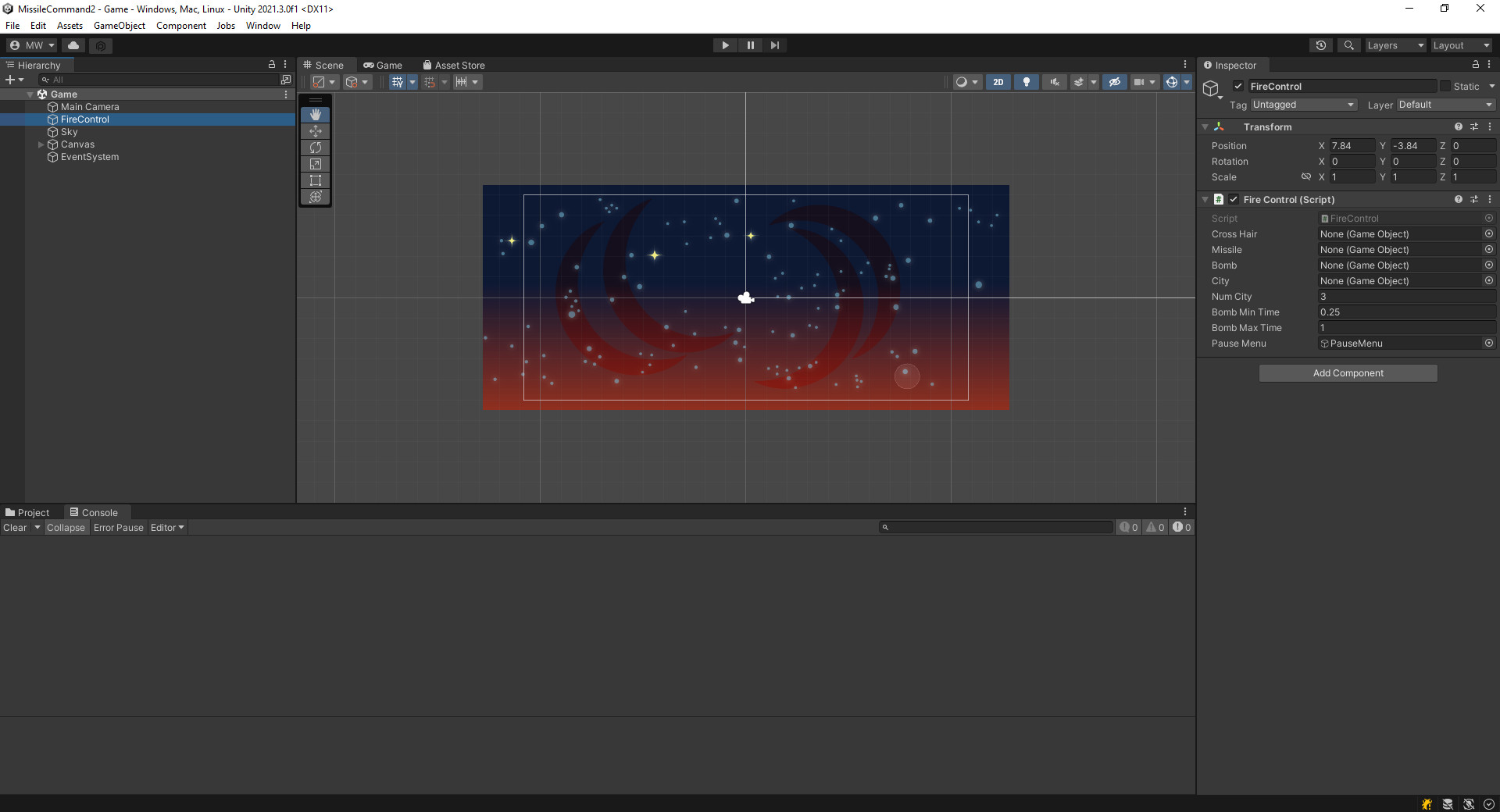
If you hit Play In Editor, an error will come up, and the game will say it’s paused. 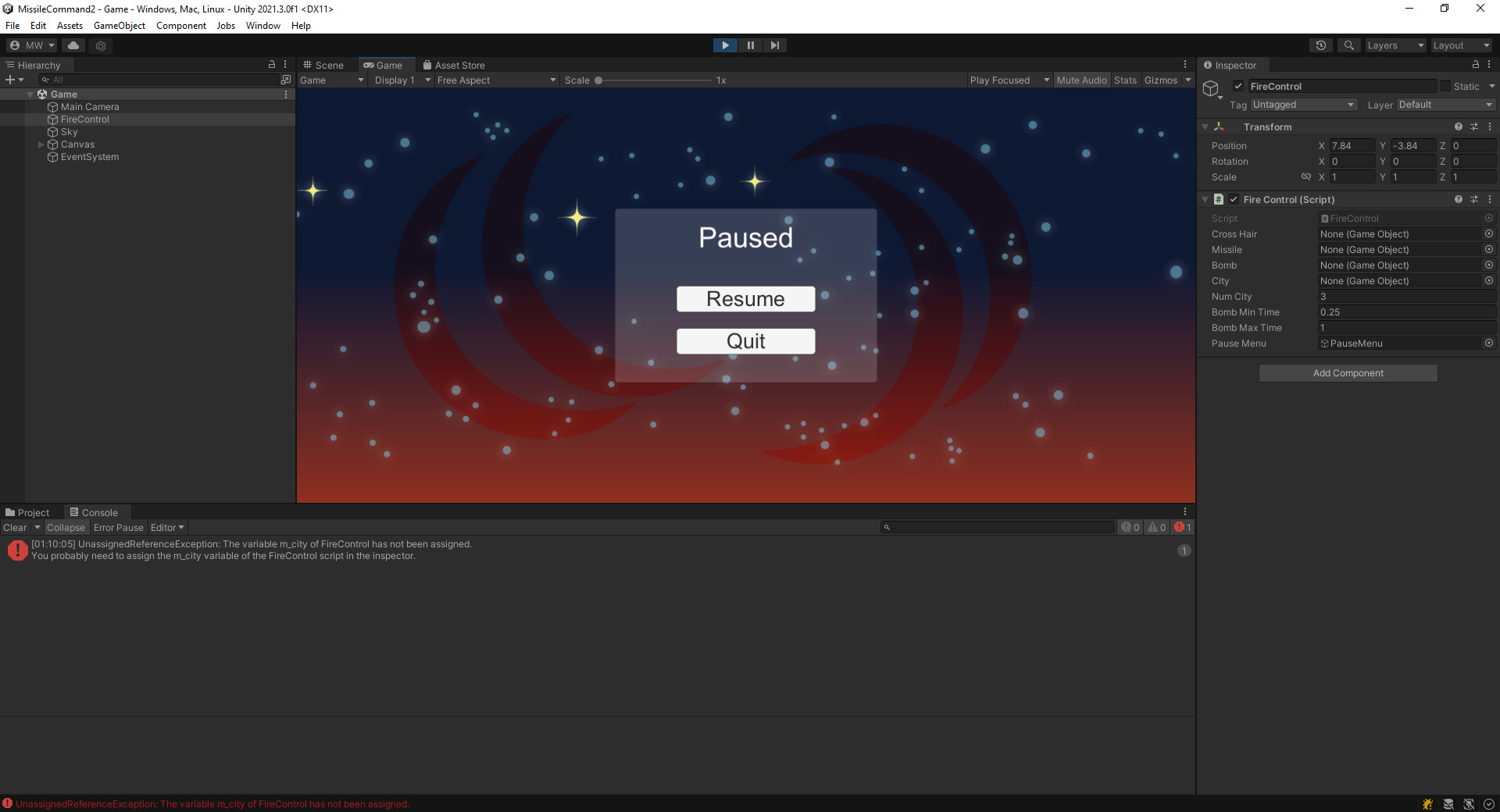
You may also notice the error message that appears in the console window.
If you click on the error message, you’ll get more information complete with a callstack.
The error occurs in Assets/Scripts/FireControl.cs on line 30.
We’ll fix this later. For now, I just want you to know how to use error messages to debug your code.