Crash Sound
Death Effect Prefab
When the player crashes, we spawn a little animation.
To save us time, I’ve already set that up for you using the same techniques we had in the previous lab. 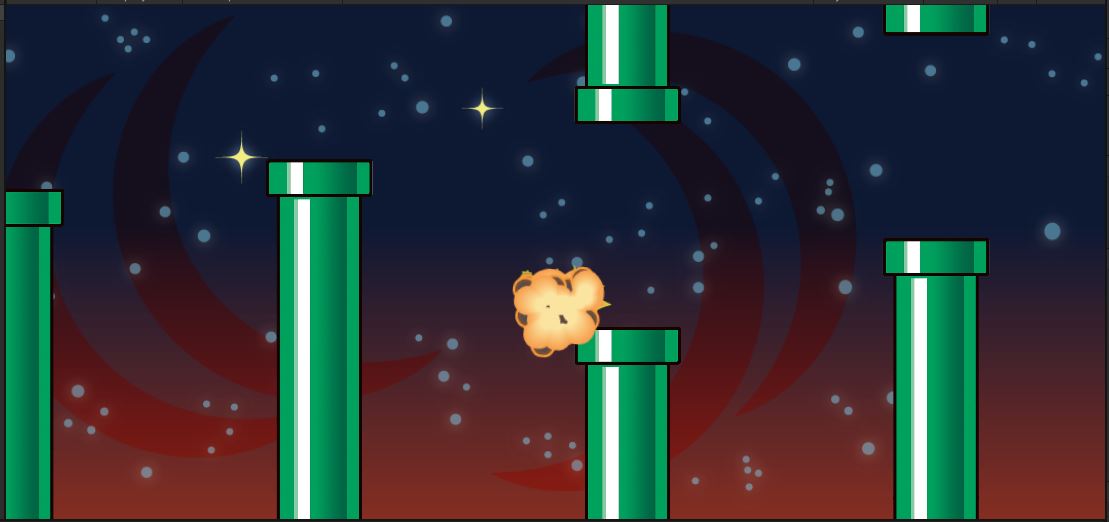 In “Bird.cs”, take a look at the
 Die() function.
    public void Die()
    {
        if (null != m_deathEffect)
        {
            GameObject obj = Instantiate(m_deathEffect);
            obj.transform.position = transform.position;
        }
        Destroy(gameObject);
    }
That m_deathEffect is a prefab that contains this animation.
All we need to do is add a sound to it.
- Open the “Assets/Prefabs/Explosion.prefab”
- Drag “Assets/Sounds/BirdDeath.wav” onto that prefab
Randomize the Sound
Let’s get some random variation into the sound.
Find the TODO in SimpleAnim.Start()
    void Start()
    {
        m_anim = GetComponent<Animator>();
        m_audio = GetComponent<AudioSource>();
        if (null != m_anim)
        {
            m_anim.speed = Random.Range(m_minSpeed, m_maxSpeed);
        }
        transform.localScale = Random.Range(m_minScale, m_maxScale) * Vector3.one;
        if (m_randomRotate)
        {
            transform.localEulerAngles = new Vector3(0.0f, 0.0f, Random.Range(0.0f, 360.0f));
        }
        {   // TODO randomize the volume and pitch of m_audio if there is one
        }
        StartCoroutine(DeleteWhenDone());
    }
- If
m_audiois null, just skip it - Otherwise, use
Random.Range()to set thevolumebetweenm_minVolumeandm_maxVolume - Randomize the
pitchbetweenm_minPitchandm_maxPitch
DeleteWhenDone()
One of the main jobs of SimpleAnim is to delete the object when the animation is finished.
What if the animation finshes, but the sound is still going?
We need to wait until both the animation and the sound have finished.
Find the TODO in SimpleAnim.DeleteWhenDone()
    IEnumerator DeleteWhenDone()
    {
        if (null != m_anim)
        {
            var state = m_anim.GetCurrentAnimatorStateInfo(0);
            yield return new WaitForSeconds(state.length * state.speed);
        }
        {   // TODO yield until the m_audio is finished playing
        }
        Destroy(gameObject);
    }
- If
m_audiois null, just skip it - Otherwise, use
m_audio.isPlayingto yield until the sound is finished- We’re talking about a while loop here.
Now when you crash, you should hear the bird squawk sound.
Flapping Sound
Bird.cs
Let’s add a flapping sound.
- At the top of “Bird.cs”, add a new public variable of type AudioSource
- Call your variable
m_flapSound
- Call your variable
- In
Bird.Update()find the TODOprotected virtual void Update() { Vector3 pos = transform.position; if (m_flap) { m_ySpeed += m_flapBoost; { //TODO play the flap sound } } ... } - If the flap sound is not null, call
.Play()on it
The sound is a variable of type AudioSource.
We might say we are calling the function AudioSource.Play().
That is NOT a static function, so we wouldn’t literally type “AudioSource.Play()”. You would put [your variable name].Play()
Player Prefab
- Open “Assets/Prefabs/Penguin.prefab”
- Drag “Assets/Sounds/joustfla.wav” onto it to add an AudioSource
- Uncheck the “Play On Awake” flag. We only want it to play when we flap
- Drag that AudioSource into the
m_flapSoundslot of the PlayerBird component
Try out the flap sound.
It should play and repeat every time you flap your wings.
If you don’t commit and push, you might lose all your work if anything goes wrong.